


Coin Master
4.8692.31K Reviews
App Specs
- Version
- 3.5.2620
- Updated On
- License
- Free
- Downloads
- 100,000,000+
- Developer
- Moon Active
- Categories
- Casual
- Platform
- Android, iOS
Screenshots
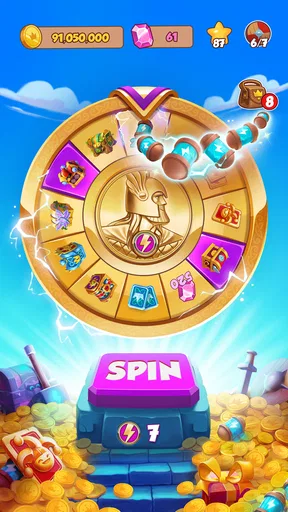
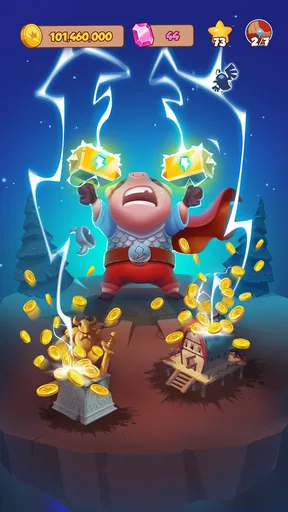


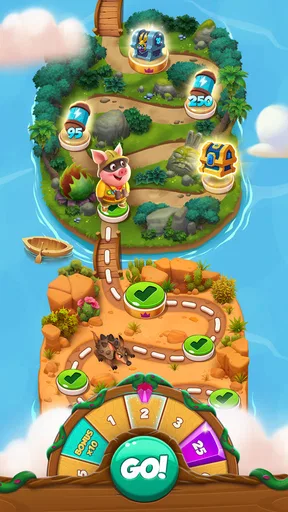
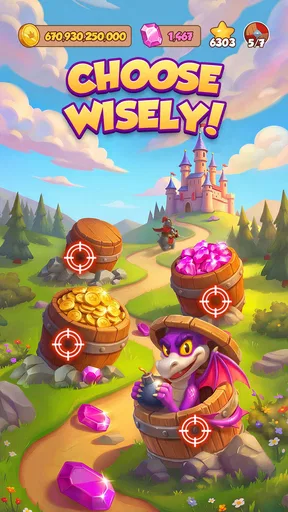
 Analysis by AppCompare
In a shared household, Coin Master is the sort of game that can prompt a quick “what did you get?” over breakfast. One person might enjoy the luck-based spins, while another prefers spending the winnings on a village. I like that its basic loop is easy to explain, so someone can watch a turn and understand the appeal without needing a long tutorial. The catch is that the game’s progress and social activity belong to the player using the account, not to whoever happens to be holding the device.
Make a little room for separate play
If several people use one phone or tablet, I’d decide in advance whose game account is being used and avoid treating a shared device as a shared save. A sibling or parent casually spending spins or coins can change what the account owner planned to do next, and playful attacks on friends may feel less playful if someone else makes them. I would not assume that taking turns on the same screen creates separate progress or personal boundaries; keep play tied to the person whose account it is.
This matters especially when someone connects with friends. The social side can involve people the account owner knows, so it is worth agreeing who is comfortable being connected and who will handle friend interactions. I would keep the conversation simple: ask before linking an account, explain that attacks and raids are game actions, and make sure the player understands that a friend’s village can be part of the fun rather than a private space being invaded in real life.
Coordinate without turning it into a chore
A useful household routine is to let the account owner choose when to collect and use rewards rather than having everyone check in on their behalf. If a player wants help completing card sets, family members can coordinate around sending and receiving cards where that feature is available to them, but I would not make daily participation an obligation. The social loop works best as an occasional shared joke, not as a demand that everyone be online or keep up with someone else’s pace.
For a realistic short break, I might open the game while waiting for a kettle to boil, use a few available spins, then leave the next decision for later. That is a better fit than promising a group a long session: chance can make a brief visit feel satisfying, but it cannot guarantee a particular reward on schedule. If several people are waiting to use the device, agree on a simple handoff and do not let “one more spin” quietly become the whole break.
Who will enjoy the household version?
The game suits people who like light village progression, cartoonish presentation, and unpredictable rewards, especially if they already enjoy comparing small wins with friends. It is less suited to someone who wants a fully predictable strategy game, uninterrupted play, or a calm activity with no competitive interaction. If a person dislikes slot-machine-style chance, the central loop may not become more appealing just because the village grows around it; a puzzle or straightforward builder would be a better choice.
I also would not choose it as the default shared game for a household that needs clear individual profiles or tightly separated play. The appeal depends partly on social contact and account activity, so boundaries are more useful than assuming everyone will interpret a raid, a purchase prompt, or a used spin the same way. A household can still enjoy watching and chatting, but the account holder should stay in control of progress and spending decisions.
Worth Reading Before You Choose

EA SPORTS FC Mobile 26 Is a Bigger Football Game, but It Takes Time

Flipboard Shows What News Apps Must Do Beyond the Feed

Switching to Android Auto Means Rethinking Your Driving Routine

Google Calendar Makes a Crowded Week Easier to Manage

Ludo King Makes the Most of the Minutes Between Plans

Baby Panda World Brings Quick Play to Modern Phones, but Its Game Library Feels Busy
Spin, Win, and Build
The premise is simple yet addictive. In Coin Master, you spin a virtual slot machine to earn coins, attack your friends’ villages, or raid their coin stashes. It’s got that thrill of chance, and yes, sometimes I find myself crossing my fingers for that perfect spin. Each spin costs a spin token, and you get a limited number of these per hour, which keeps you coming back for more.
With the coins you earn, you can build and upgrade your village. The more you upgrade, the more stars you earn, and the more villages you unlock. Each village has a unique theme, from ancient Egypt to futuristic cities, and it feels rewarding to see your village grow and change as you progress.
The Social Twist
One thing I didn’t expect was how social this game is. You can connect with friends through Facebook, and trust me, it adds a whole new layer to the game. You can raid your friends’ villages or even attack them directly, which might sound a bit mean, but it’s all in good fun. Plus, you can send and receive free spins and cards, which are used to complete sets for bonuses.
There's a bit of strategy involved in deciding when to attack or raid, and who to target. It’s like a friendly rivalry, and I’ve definitely had a few playful arguments over stolen coins. But hey, all’s fair in love and Coin Master, right?
Graphics and Sound
The graphics are colorful and cartoonish, which suits the playful nature of the game perfectly. Each village is well designed with attention to detail, making it visually appealing. The sound effects are equally fun, with satisfying chimes when you win coins and dramatic sounds during attacks. It’s these little touches that make the game feel lively and engaging.
That quick, visual feedback is part of why I find it easy to pick up for a short pause in the day. Still, I would not mistake an easy-to-start game for one that always stays brief. When I am trying to stop, it helps to decide before opening it whether I am checking in for a couple of spins or settling in to work on the village. That small boundary is more useful than expecting the game itself to create a natural stopping point.
What to expect from a free game
As a casual game from Moon Active, it is free to start, and its reach is considerable: it has more than 100 million installs and an average rating of 4.8 from around 10 million ratings. The game first appeared on February 4, 2016, and the current version is 3.5.2420, with Android support from version 6.0. Those details make it a familiar, established option, but popularity does not mean its chance-driven pace will suit everyone.
The age rating is Teen, which is a useful signal for adults deciding whether it fits a household, not a replacement for checking in with a younger player. I would explain the social interactions and purchase prompts before handing over a shared device. The game includes in-app purchases, with item prices ranging from $0.49 to $374.99, so I would agree on a clear spending rule before play begins. If a child is using an adult’s device or payment setup, do not rely on a casual “don’t buy anything” reminder as the only boundary.
Compared with a conventional puzzle game, this one asks less of a player’s planning and more of their patience with random outcomes. Compared with a quiet village builder, it adds raids, attacks, and friend-based exchanges, which can make progress feel more lively but also less private. That trade-off is the main decision point for me: choose it for light social competition and luck, not for precise control over every step.
In-App Purchases and Ads
Now, let’s talk about the not-so-fun part: in-app purchases. Coin Master offers a range of purchase options for extra spins, coins, and other perks. While you can play without spending real money, it can be tempting to buy a pack of spins, especially during special events when the rewards are higher.
Ads are also a part of the game, but they’re not too intrusive. You have the option to watch ads for extra spins, which is a nice way to keep playing without spending money. It’s a balance, and I appreciate that the game doesn’t force purchases on you.
My practical advice is to treat optional purchases as a decision made outside the excitement of a spin or event. Set a household limit—or decide on no spending—and make sure everyone who uses the device knows who is allowed to approve a purchase. Watching an ad for a reward may be a way to continue without paying, but it still extends the session; if the aim is a quick break, it is fine to stop rather than chase one more turn.
Final Thoughts
Overall, Coin Master is a fun and addictive game that offers a unique blend of chance and strategy. It’s perfect for those moments when you need a quick break, and its social aspect keeps things interesting. While the in-app purchases can be tempting, it’s totally possible to enjoy the game without spending a dime.
If you’re looking for something light-hearted and engaging, give Coin Master a spin. Just be warned – once you start, it might be hard to stop!
For a household, I would recommend it when the intended player likes luck-based progress and everyone can respect the account owner’s choices. I would skip it for shared-device play where people expect separate saves, for anyone uncomfortable with social competition, or when spending boundaries are hard to maintain. Keep the device handoff clear, let the player decide how to use their rewards, and treat purchases as an adult-approved choice. With those expectations in place, its bright villages and quick turns can make an easy bit of shared conversation without requiring the whole household to play the same way.
Pros
- Engaging slot machine gameplay.
- Connects with Facebook friends easily.
- Regular events and updates.
- Simple
- intuitive interface.
- Offline play available.
Cons
- Can be repetitive over time.
- In-app purchases can be costly.
- Ads can be intrusive.
- Requires internet for social features.
- Limited strategy elements.
FAQs for Coin Master
What is Coin Master and how does it work?
Coin Master is a popular mobile game that combines elements of slot machines and village building. Players spin a virtual slot machine to earn coins, shields, and attacks, which they use to build and upgrade their villages. The game involves both strategy and luck, as players aim to build their villages while protecting them from attacks by other players.
Is Coin Master free to play, and are there in-app purchases?
Yes, Coin Master is free to download and play. However, it offers in-app purchases that allow players to buy coins, spins, and other resources. These purchases can enhance gameplay and help players progress more quickly, but they are entirely optional. Players can also earn these resources through regular gameplay.
How can I get more spins in Coin Master?
Players can earn free spins in Coin Master by waiting for them to regenerate over time, inviting friends to play the game, or participating in events and promotions. Additionally, spins can be purchased directly through the in-app store. Regularly checking the game’s social media channels can also provide opportunities for additional free spins.
What are the benefits of joining a Coin Master community or group?
Joining a Coin Master community or group can provide numerous benefits, such as trading cards with other players, receiving tips and strategies, and participating in group events. These communities often share free spin links and help each other complete card sets, which can lead to additional rewards and a more enjoyable gaming experience.
Is there a way to play Coin Master safely and protect my personal data?
To play Coin Master safely, ensure your app is downloaded from a reputable source like the Google Play Store or Apple App Store. Avoid sharing personal information or account details with others, and be cautious of third-party websites offering free spins or coins. Regularly update the app to access the latest security features.


